
Vyapar Automation App
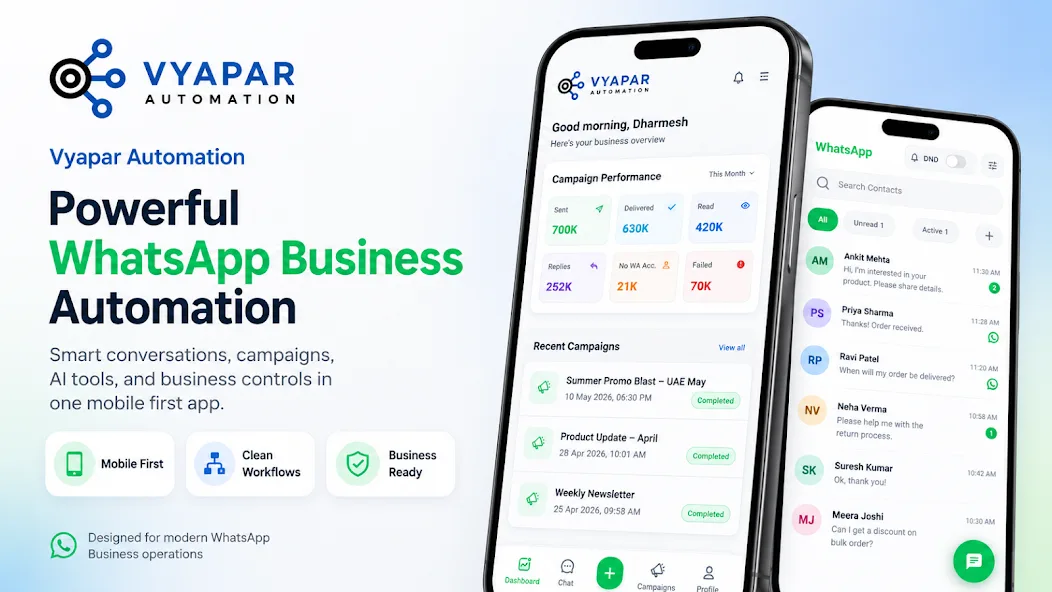
Powerful WhatsApp Business Automation in One Mobile-First App
Smart conversations, campaigns, AI assistants and business controls in one app. Manage every customer chat, launch campaigns and let AI handle routine requests, from wherever you are.
Free to download. Works with your WhatsApp Business API number.
AI powered
Built on ChatGPT and Gemini
Reliable and secure
Enterprise-grade security for your data
Real-time analytics
Campaign and conversation metrics as they happen
Smart and scalable
Designed for teams of every size
3300+ integrations
Connect the tools you already use
Expert support
We are here when you need us
AI Assistants
Build AI assistants that work for you
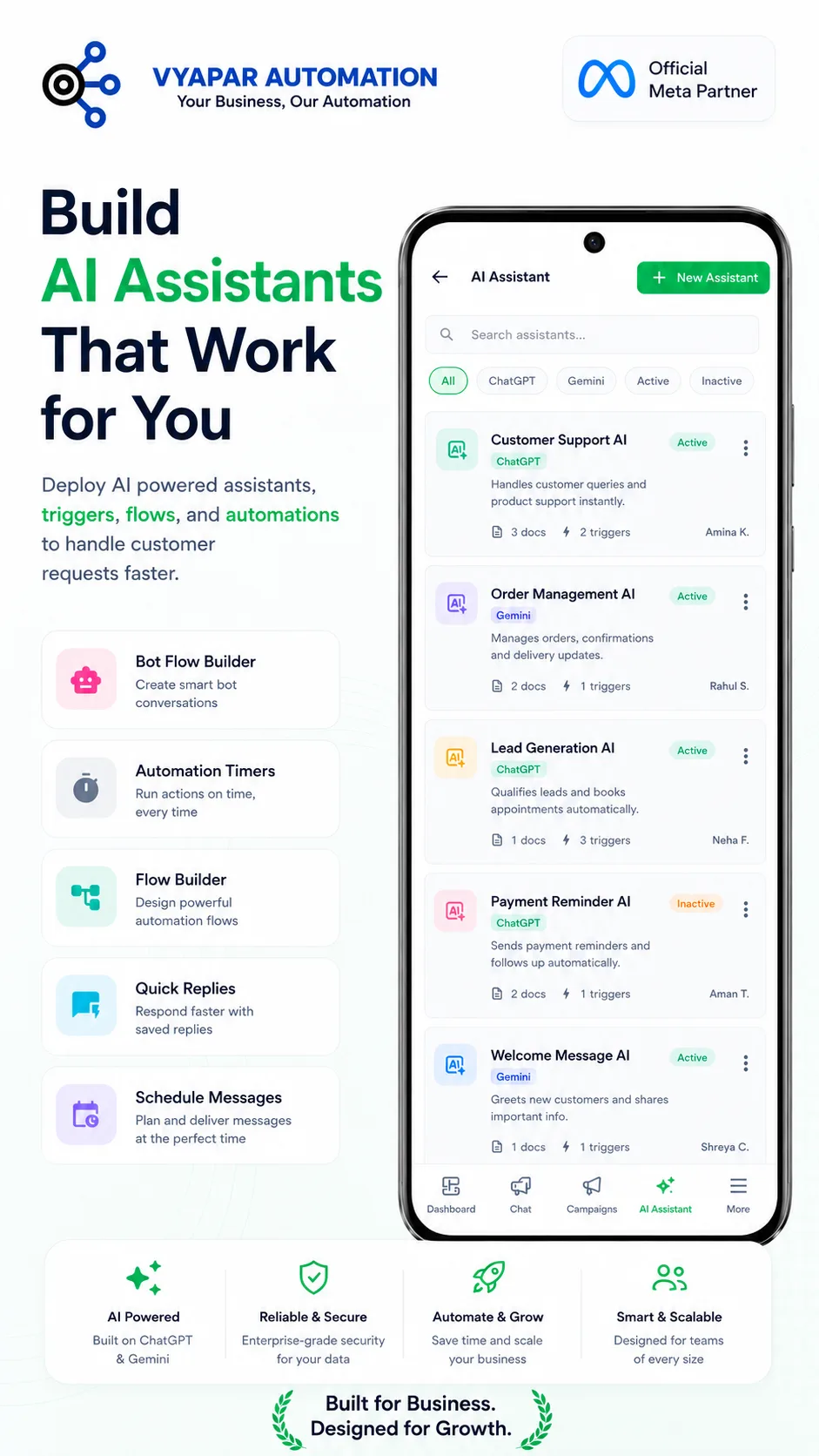
Deploy AI-powered assistants, triggers, flows and automations to handle customer requests faster. Assistants run on ChatGPT or Gemini, are trained on your own documents and can be switched on or off per use case.
AI Agent Builder
Create assistants on ChatGPT or Gemini, attach your documents and define triggers.
Bot Flow Builder
Design smart, button-driven bot conversations without code.
Automation Timers
Run actions on time, every time: reminders, follow-ups and scheduled tasks.
Flow Builder
Design powerful automation flows with conditions and hand-offs.
Quick Replies
Respond faster with a library of saved replies.
Schedule Messages
Plan and deliver messages at the perfect time.
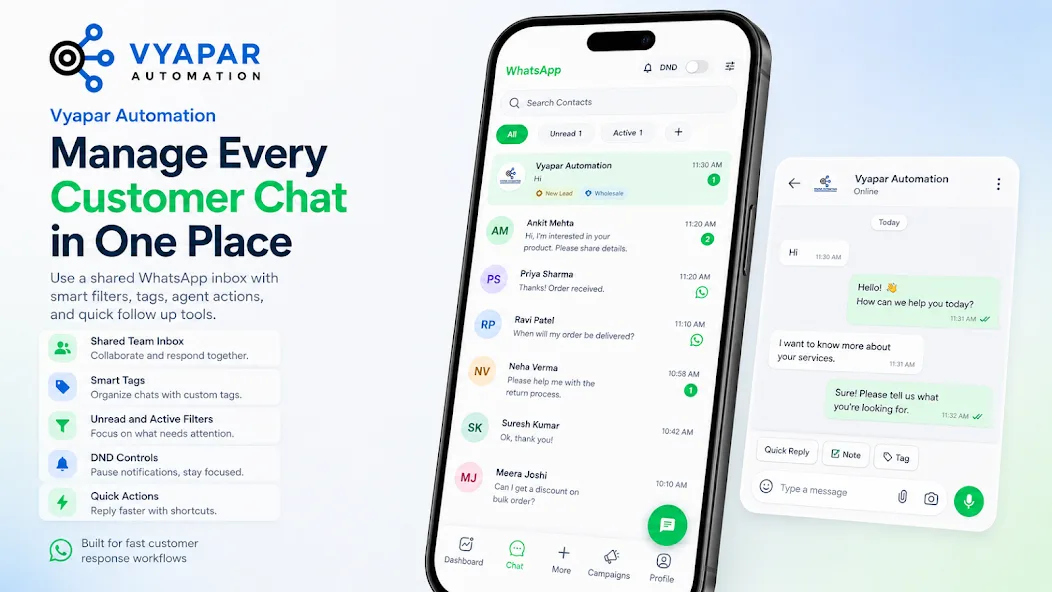
Unified Inbox
One inbox for every customer chat
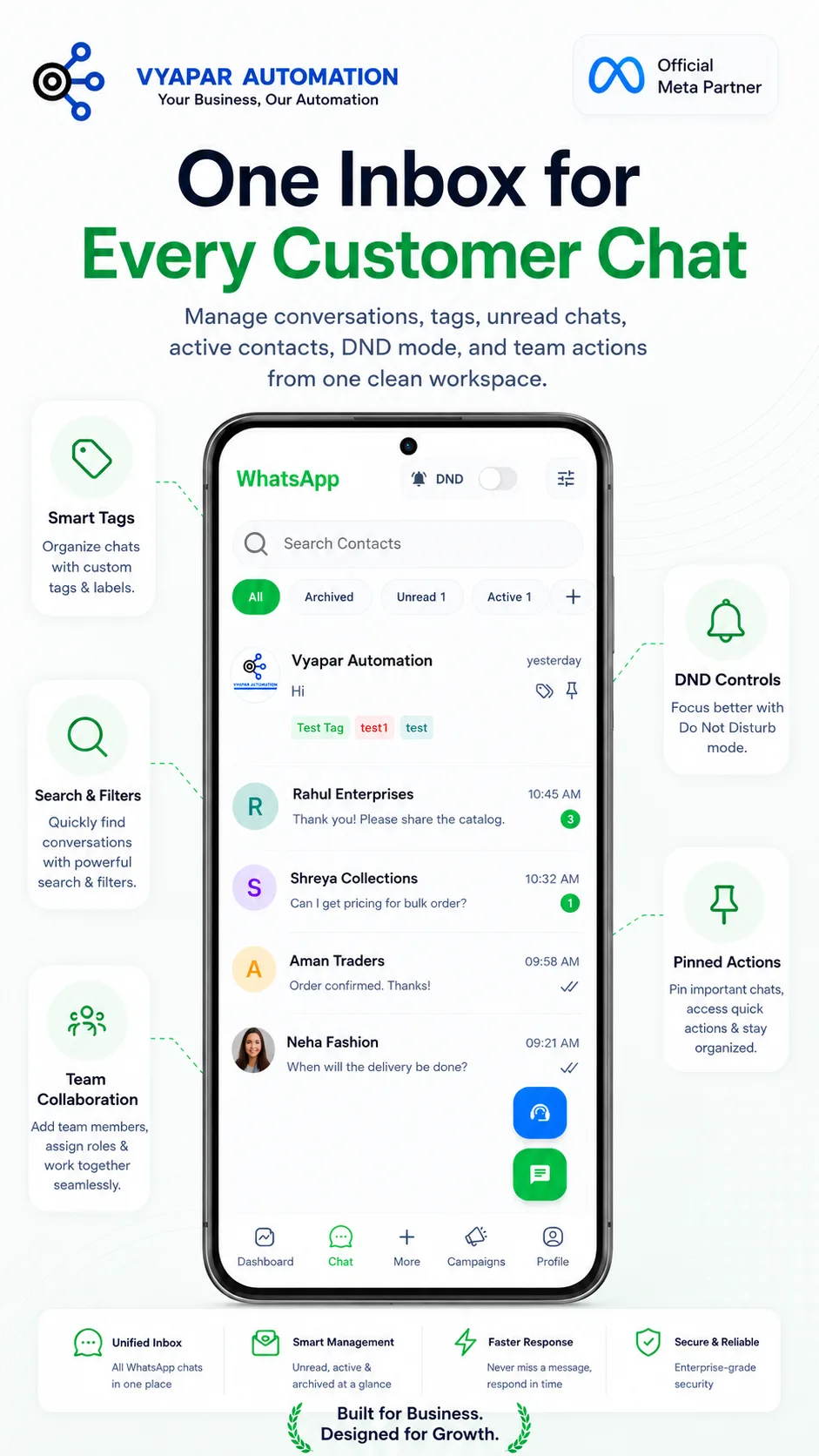
Manage conversations, tags, unread chats, active contacts, DND mode and team actions from one clean workspace. Every WhatsApp conversation on your business number, visible to the whole team.
Shared team inbox
All WhatsApp chats in one place, assignable to team members.
Smart tags
Organise chats with custom tags and labels such as New Lead or Wholesale.
Search and filters
Find conversations quickly with unread, active and archived filters.
DND controls
Pause notifications and focus with Do Not Disturb mode.
Pinned actions
Pin important chats and access quick actions.
Team collaboration
Add team members, assign roles and work together seamlessly.
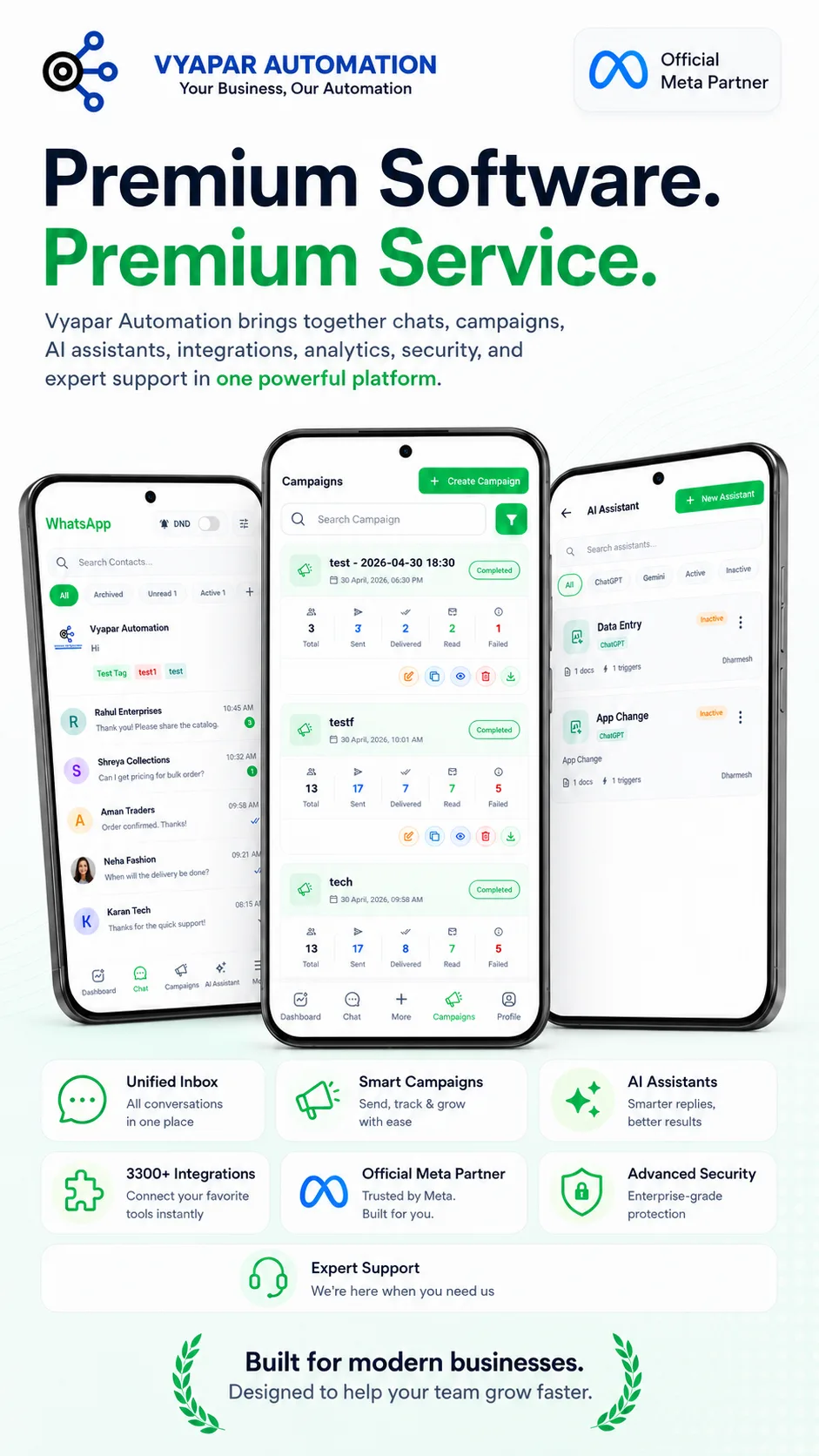
Campaigns
Launch campaigns and track performance
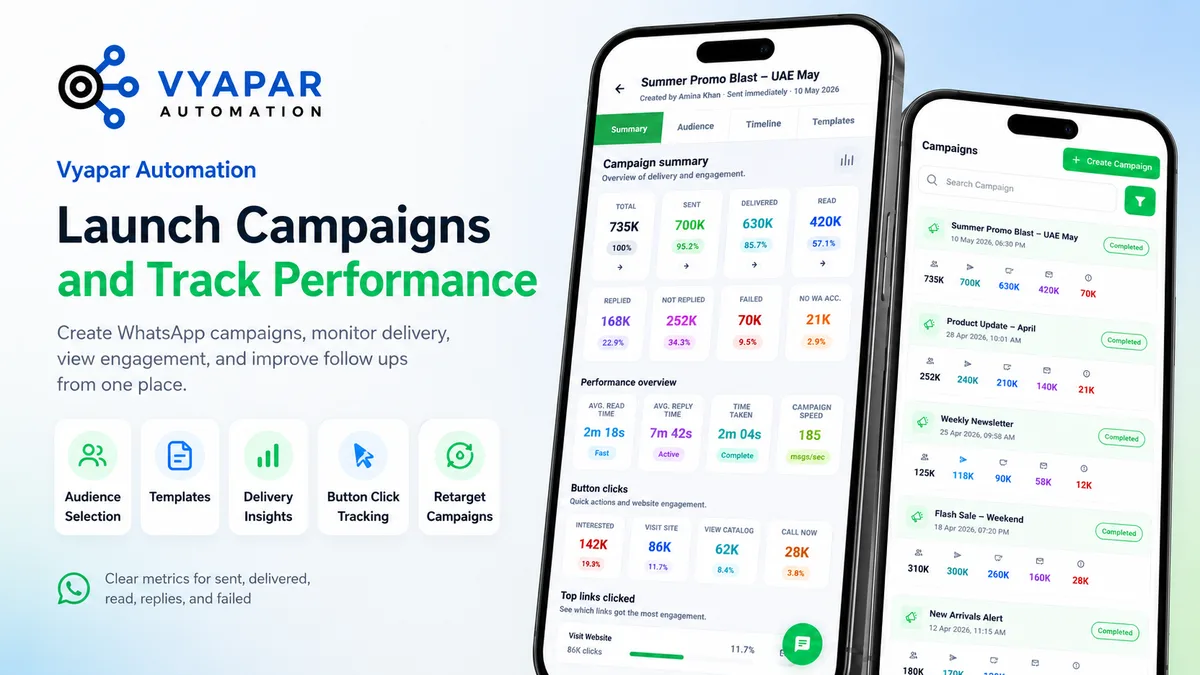
Create WhatsApp campaigns, monitor delivery, view engagement and improve follow-ups from one place. Clear metrics for total, sent, delivered, read, replied, failed and no-WhatsApp-account contacts, plus button-click tracking.
Audience selection
Choose contacts by tag, segment or upload.
Templates
Pick an approved template and fill variables.
Delivery insights
Sent, delivered, read, replied and failed, with timeline.
Button click tracking
See which buttons and links customers tapped.
Retarget campaigns
Re-send to the not-replied or interested segment.
Campaign speed and timing
Average read time, reply time and messages per second.
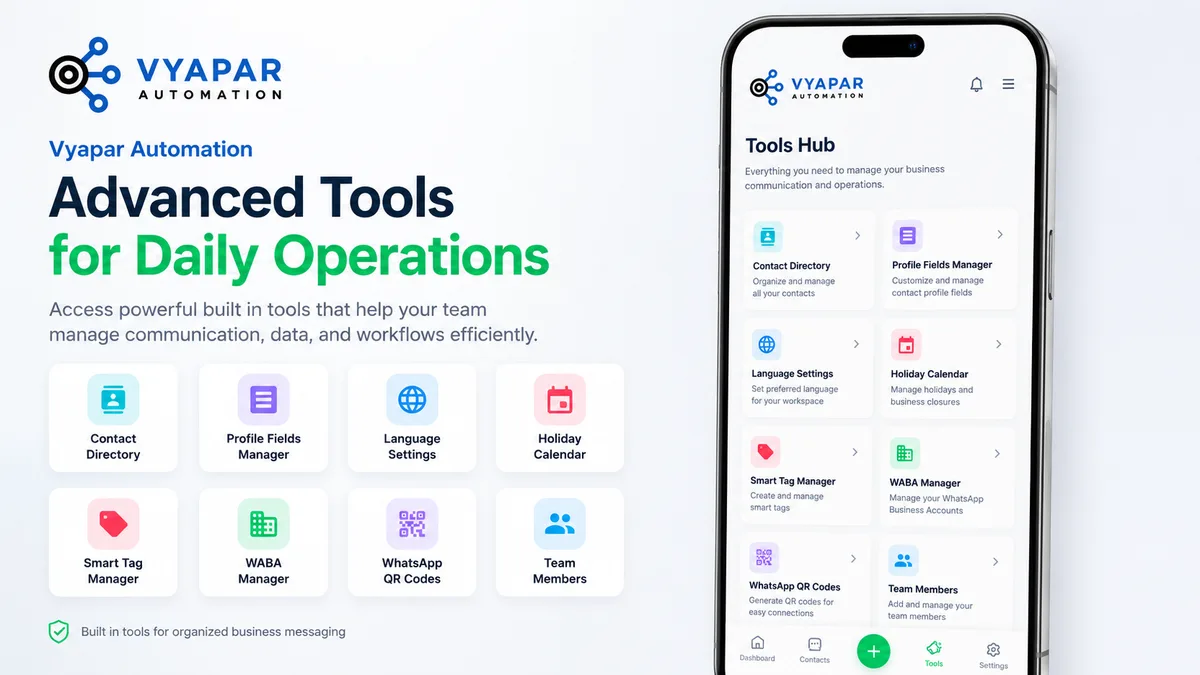
Tools Hub
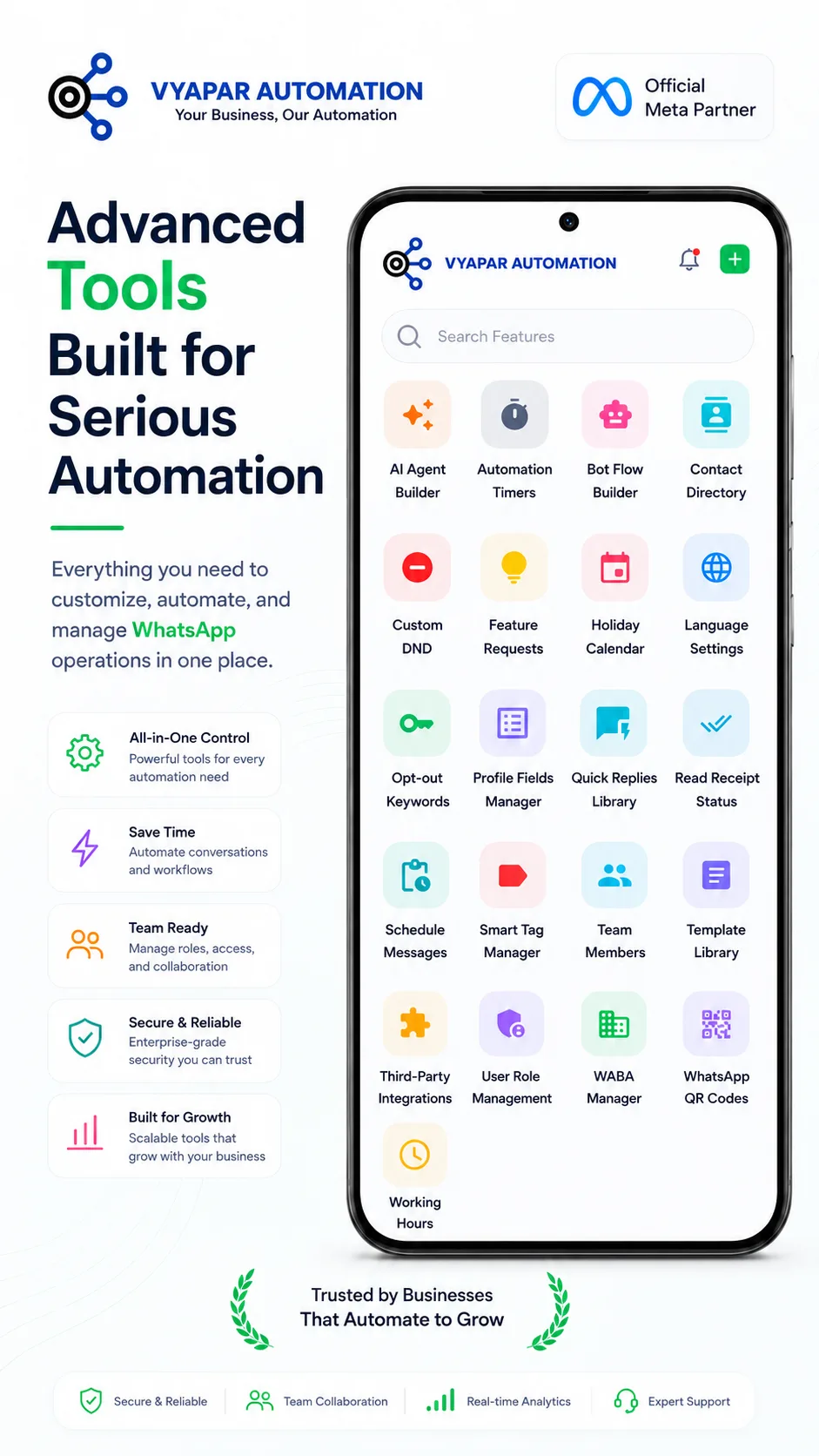
Advanced tools built for serious automation
Everything you need to customise, automate and manage WhatsApp operations in one place: contacts, templates, roles, working hours, QR codes and integrations.
Contact Directory
Organise and manage all your contacts.
Profile Fields Manager
Customise contact profile fields for your business.
Template Library
Manage approved WhatsApp message templates.
Smart Tag Manager
Create and manage tags for segmentation.
WABA Manager
Manage your WhatsApp Business Accounts.
WhatsApp QR Codes
Generate QR codes for easy connections.
User Role Management
Control access with roles and permissions.
Opt-out Keywords
Honour STOP requests automatically.
Working Hours & Holiday Calendar
Away replies outside hours and on closures.
Language Settings
Set your workspace language.
Read Receipt Status
Track delivery and read status per message.
Third-party Integrations
Connect your favourite tools.
Inside the app
A closer look
Dashboard, chat, campaigns and tools, as they appear in the app.
Download the Vyapar Automation app
Available on Google Play and the Apple App Store.
FAQ
App FAQs
Clear answers to the questions businesses ask us most often.
Android via Google Play and iOS via the Apple App Store. A web workspace is available for desktop use.
Yes. The app works with your WhatsApp Business Platform (API) number so multiple team members can use one business number with templates, automation and analytics. We handle the onboarding.
Assistants can run on ChatGPT or Gemini. You choose the model per assistant, attach your own documents and define the triggers that activate it.
Yes. Add team members, assign roles and permissions, and work from the same shared inbox with tags, notes and pinned actions.
Yes. Select an audience, pick an approved template, send or schedule, and track sent, delivered, read, replied and failed counts along with button clicks.
Ready to Make Your Business More Intelligent?
Let's build smarter customer experiences through WhatsApp automation and customized technology solutions.